Online booking software Canada
A booking page is only the front door.The business needs the room behind it.
A client books from their phone. The service, reminder, invoice, payment path, client record, and next follow-up stay attached to that appointment.
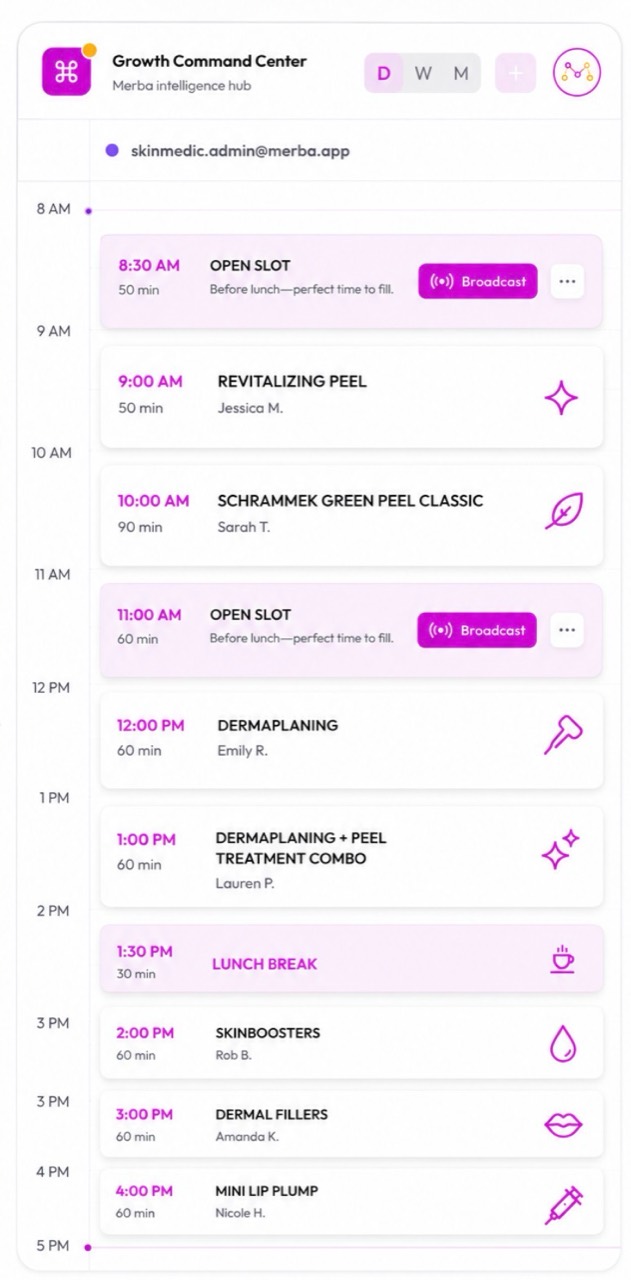
Proof 01
The booked slot is the beginning, not the endpoint.
Availability, service, provider, client, and source stay attached to the work.
Publish a clean booking path
Clients choose services, providers, and available times without messaging back and forth.
Handle real service rules
Use approvals, custom durations, reminders, blocked time, deposits, and service-specific setup without bolting tools together.
Build toward growth
Use the same operating data to support local discovery, overdue rebooking, targeted offers, and campaign planning.
What stays inside Merba
The smart calendar, the client memory, the payment trail, and the intelligence loop.
Smart booking
Smart client management
Smart quoting, invoicing & payments
Guardian business intelligence
Comparison
Merba vs a standalone booking page
A booking page solves intake. Merba connects intake to the workflow and the business outcome.
Conversion path
Give clients a booking link that actually helps the business run.
Keep it in the business, then unlock the booking, payment, client, and growth tools that fit your stage.
Open the workspace
Set up the business, services, category, and basic profile.
Publish the booking path
Turn on online booking when services, rules, and availability are ready.
Connect operations
Add reminders, client records, invoices, quotes, payments, and staff workflows.
Use the intelligence loop
Act on Market Intel, Guardian recommendations, Knowledge Loop memory, and Marketing opportunities.
Owner questions
What owners usually ask before bringing the business home.
Can I use Merba as my main online booking system?
Yes. Paid Merba plans include online booking with live availability, service setup, reminders, and connected client records.
Can clients book from a phone?
Yes. Merba gives mobile clients a clean booking path that you can share from Instagram, your website, text, email, or a business profile.
Can I approve bookings before confirming them?
Yes. Services can require approval so the business stays in control when a request needs review.
Continue the decision
See how ordinary business activity becomes an evidence-backed next move.
Related searches