Appointment scheduling software Canada
Scheduling is table stakes.Context is the advantage.
Merba handles appointment scheduling, but the larger value is what each appointment remembers: service details, client history, documents, payments, follow-up, and market signals.
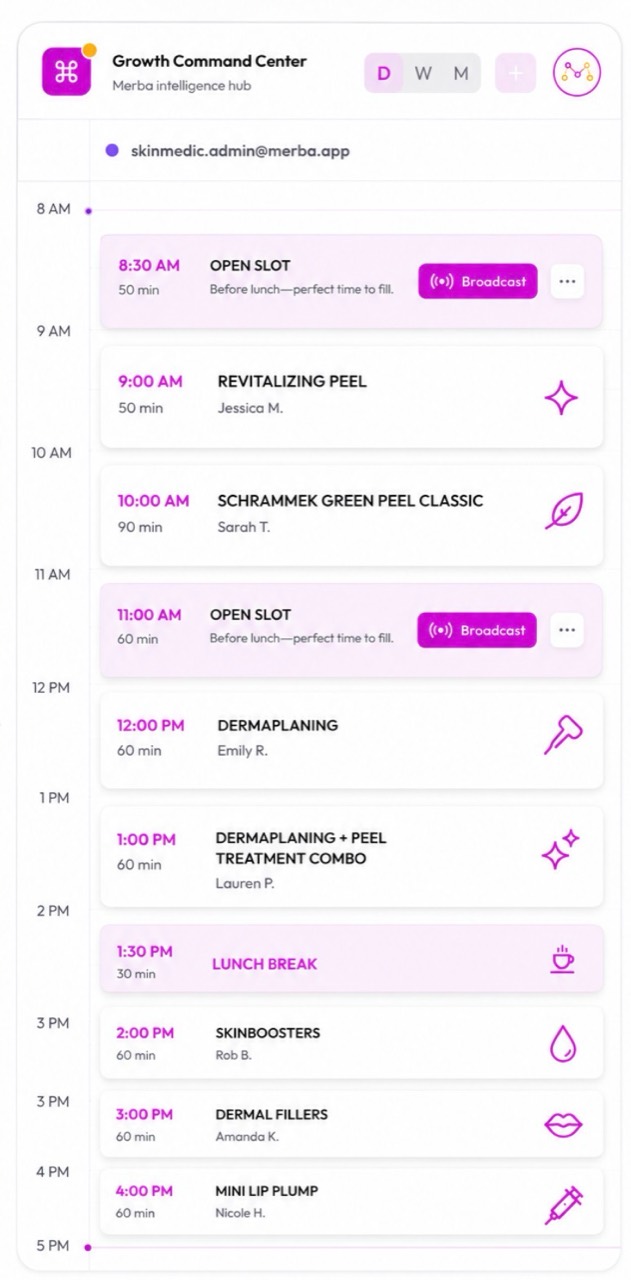
Proof 01
The booked slot is the beginning, not the endpoint.
Availability, service, provider, client, and source stay attached to the work.
Prevent avoidable scheduling friction
Calendar rules, blocked time, Google Calendar sync, provider assignment, and booking modes keep the day easier to run.
Attach the work
Appointments can connect to client notes, quotes, job logs, photo records, invoices, and payment state.
Recover demand
The system can surface missed rebooking windows, slow times, and services that deserve a campaign push.
What stays inside Merba
The smart calendar, the client memory, the payment trail, and the intelligence loop.
Smart booking
Smart client management
Smart quoting, invoicing & payments
Guardian business intelligence
Comparison
Merba vs meeting schedulers
Meeting schedulers are good for calls. Service businesses need appointment operations.
Conversion path
Use scheduling as the first signal in the week.
Create a free workspace, then decide when to publish booking, payments, discovery, and growth tools.
Open the workspace
Set up the business, services, category, and basic profile.
Publish the booking path
Turn on online booking when services, rules, and availability are ready.
Connect operations
Add reminders, client records, invoices, quotes, payments, and staff workflows.
Use the intelligence loop
Act on Market Intel, Guardian recommendations, Knowledge Loop memory, and Marketing opportunities.
Owner questions
What owners usually ask before bringing the business home.
Does Merba sync with Google Calendar?
Yes. Merba supports Google Calendar sync so personal events can block time and Merba appointments can appear in Google Calendar.
Can Merba handle multiple staff?
Yes. Merba supports team scheduling, provider assignment, permissions, and staff workflows on the team tier.
Is Merba a meeting-scheduler replacement?
It can replace simple scheduling links for service businesses, then keep the client, payment, document, discovery, and follow-up context attached.
Continue the decision
See how capacity, timing and service context change what an open slot means.
Related searches