Get booked
Follow a customer from the booking link to a visit on the owner’s calendar.
Watch tutorialMerba tutorials
Choose a subject, watch the walkthrough and follow the written steps at your own pace.
37 tutorials available
Follow a customer from the booking link to a visit on the owner’s calendar.
Watch tutorialAdd your logo and brand colour, save your settings, then check your workspace, email preview, shop and booking page.
Watch tutorialFollow the same customer and job from a quote to an invoice and payment status.
Watch tutorialSee what is booked, review a suggested action and decide what to consider next.
Watch tutorialA short introduction to Merba for independent service businesses.
Watch tutorialSave a catalogue item and build a quote for home services.
Watch tutorialBuild a clear quote using your spa services catalogue.
Watch tutorialLearn how to add before and after photos to an appointment and keep a visual record of the service.
Watch tutorialPrepare for a returning client by checking their preferences and visit history in Merba.
Watch tutorialFind appointments, photos, documents and messages from the client portal’s section menu.
Watch tutorialFollow the customer’s view from choosing a service and time to confirming the booking.
Watch tutorialFind your next appointment and review previous visits in the client portal.
Watch tutorialFollow a quote into an invoice and see where its payment status appears.
Watch tutorialFind an upcoming visit, check the cancellation policy and cancel if the visit is eligible.
Watch tutorialCheck a returning client’s service details before booking their next visit.
Watch tutorialCheck the business’s notice policy and move an eligible visit to an available time.
Watch tutorialReview a client’s past service and preferences before scheduling a follow-up facial.
Watch tutorialStart from a previous appointment and choose the service, provider and time for your next visit.
Watch tutorialShow a customer different cleaning scopes on a quote so they can choose the work they need.
Watch tutorialUse a Merba quote to present different scopes for a painting job.
Watch tutorialSee how a customer selects a service and time through a barbershop’s booking link.
Watch tutorialFollow a customer booking a design consultation from the studio’s booking link.
Watch tutorialSee how to invite a provider to join your business in Merba.
Watch tutorialFollow the customer’s booking flow for a laser hair removal consultation.
Watch tutorialSee how the front desk takes a client from scheduling to a booked visit.
Watch tutorialSee how to review a business signal and decide what to do next in Command Center.
Watch tutorialSee how someone finds a local service and moves from Discovery to the business profile.
Watch tutorialUse Knowledge Continuum to review a source before acting on a recommendation.
Watch tutorialSee where to review plan pricing and trial terms before starting your workspace.
Watch tutorialFollow a demonstration of adding a client chart note using example data.
Watch tutorialFollow a walkthrough of job notes, photos and invoices in Merba.
Watch tutorialLearn how to record a client preference so it is available for future visits.
Watch tutorialSee how to reschedule an appointment in your Merba calendar.
Watch tutorialFollow the workflow from a quote with options through to an invoice.
Watch tutorialExplore the gift card workflow in Merba with this short walkthrough.
Watch tutorialCreate a chart note, request your medical director’s signature, then find the signed note in the client’s chart.
Watch tutorialAdd a service to your Merba catalogue with a name, price, duration and category.
Watch tutorial
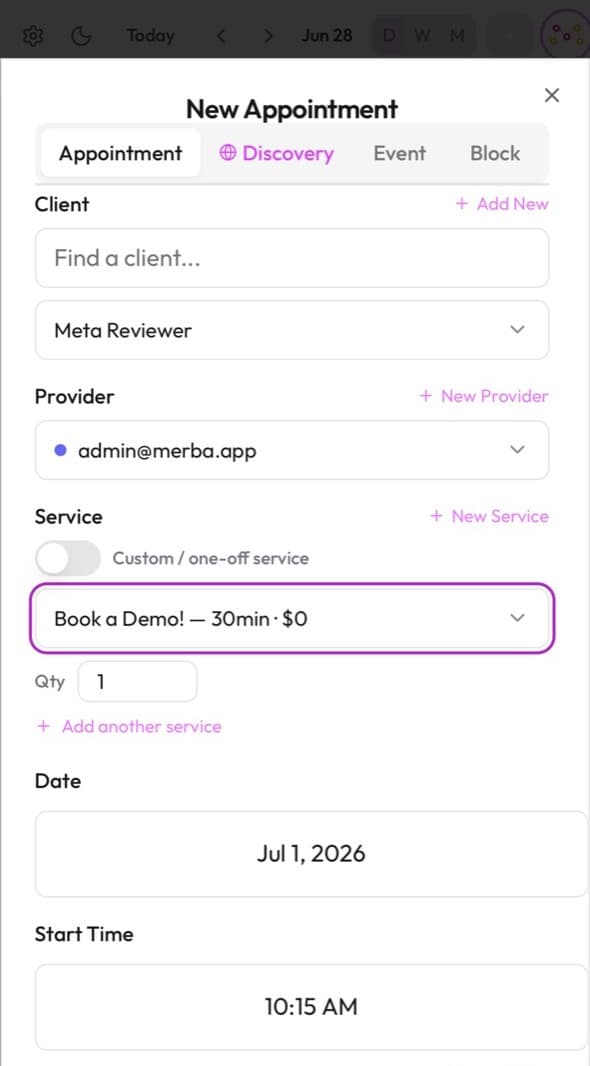
Merba tutorial
Set up the first thing customers will book. Follow along to add the service name, duration and price, then use the library to find your next task.
Loading the walkthrough…