Compare quoting software for Canadian service businesses by testing how you describe the work, get approval and carry the agreed scope into an invoice.
Written by Merba, a software provider. This is a buying checklist, not an independent ranking. Use the same test in every tool you consider.
Editorial review: . Product walkthroughs and scope references are linked below.
Painting quote · Example data
Merba tutorial
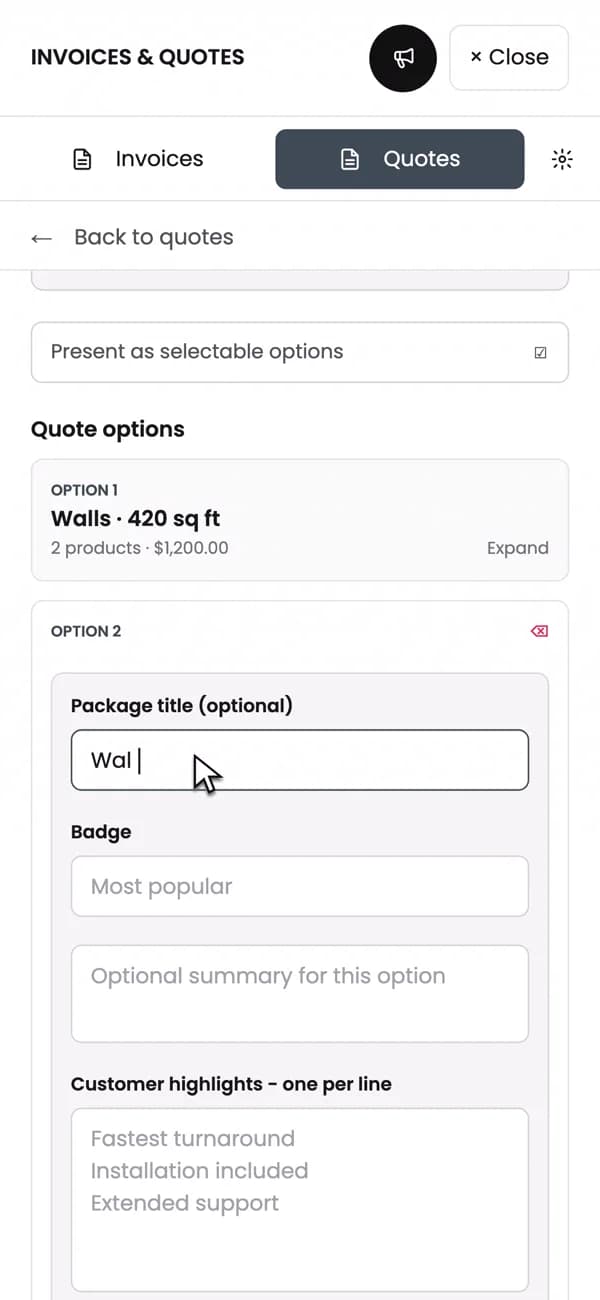
See a painting quote with options
Watch how different scopes appear on one quote. Try the same comparison with a job you quote often.
Loading the walkthrough…
Start with the work you need to do
Choose quoting software around the work you price. A service business needs clear scope, optional items, client approval and a reliable handoff to invoicing. A contractor who measures drawings, calculates material quantities or prices complex assemblies may also need a specialist estimating tool. Test both with the same job before choosing.
What to test before you choose
Create a quote with the work, exclusions and optional extras described clearly.
Send it to a test client and check how they approve or request a change.
Turn the approved quote into an invoice and check what carries over.
Compare the workflow, not just the feature list
Scope and options the client can understand
Try it: Prepare a base job, an optional extra and an exclusion. Open the client's view on a phone and change one item before approval.
Check that the accepted version identifies exactly what is included. A polished PDF alone does not show how revisions or optional work are handled.
An estimate that matches how you calculate
Try it: Price a familiar job using your normal labour, materials and service items. Identify every calculation or measurement you still do elsewhere.
Saved service prices can suit repeatable work. Takeoffs, labour costing and supplier-price updates are separate requirements; do not assume that every quote app includes them.
A clean handoff to the invoice
Try it: Approve a fictional quote, include any deposit and follow it through to an invoice. Compare the agreed items, tax, total and remaining amount at each step.
For Canadian work, confirm your currency, applicable tax setup and payment methods. Ask your bookkeeper about the records you need instead of assuming the software makes your billing compliant.
Try this example
A fictional test scenario, not a customer result. Use sample records while evaluating a tool.
Quote a standard clean and offer the inside of the oven as a separate option. If the client accepts the extra, check that the agreed scope remains easy to find when the job is invoiced.
Before you choose
What is the difference between quoting and invoicing software?
A quote proposes the scope and price before the client agrees. An invoice requests payment for the agreed work. If you need both, test how accepted items and deposits carry forward instead of evaluating the two documents separately.
Does a contractor quote app replace an estimating tool?
Only if it supports the way you estimate. Merba's published trade tutorial demonstrates building a quote from services. That does not establish drawing takeoffs, automatic material quantities or specialist construction estimating.
Product evidence and scope
These Merba sources support the product examples, not a claim that Merba is best for every business. Walkthroughs show the named steps; an individual owner account does not establish typical results. Check current availability and pricing before switching.
Merba is worth evaluating if the same team handles the quote, client relationship and invoice. If you estimate from drawings or detailed material takeoffs, test that specialist workflow separately.